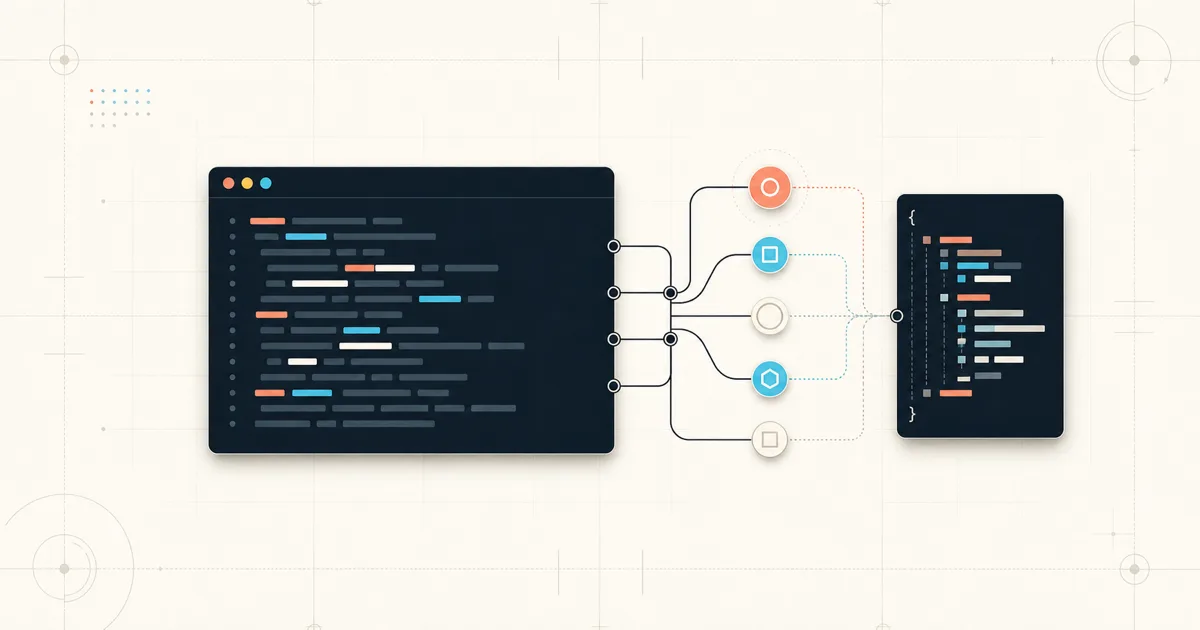
Annie CLI puts 19 production graph commands behind one read-only terminal interface, with explicit time scope, evidence completeness, error recovery, scrolling, and explorer destinations. Platform engineers can rank noisy resources, resolve one exact workload, calculate blast radius, reconstruct an incident, inspect historical state, or fail a CI check without asking an AI to interpret the result.
The command count is secondary to the contract: a known graph operation returns deterministic text for an operator or versioned JSON for automation. No conversation is created, and no LLM fills gaps in the evidence.
Nineteen commands, five jobs
The command surface is easier to understand by the job it handles:
| Job | Annie Graph commands |
|---|---|
| Discover current production | types, search, show, deps, top, explore |
| Plan a change | path, blast, tree, diagram |
| Respond to an incident | timeline, triage, brief, owners |
| Govern production | posture, check |
| Query history or advanced evidence | changes, history, deps --at, query |
When you know what you need, annie graph is the direct path to a reproducible answer from observed infrastructure data. It runs a fixed, read-only graph operation and returns deterministic text or JSON without asking an LLM to interpret the request. Use annie ask for open-ended investigation, explanation, or recommendations:
# Reproducible graph operations over observed infrastructure data
$ annie graph deps checkout-api --direction both
$ annie graph timeline checkout-api --since 2h

# Open-ended AI-assisted investigation
$ annie ask "why did checkout-api start failing after the last deploy?"
Both use the production context maintained by Anyshift. The graph commands return evidence directly; annie ask starts an Annie conversation.
Discover the query language from the CLI
graph query exposes deterministic Graph API operations beyond the dedicated commands. The query catalog is embedded in Annie, so you can inspect every target, filter, accepted value, alias, and valid form before sending a query:
$ annie graph query --list
$ annie graph query --describe spof
Target: spof
Purpose: Rank highly shared ConfigMaps, service accounts, or nodes by fan-in.
Result intent: spof
Aliases: spofs
Modifiers: LIMIT

Filters:
NAME       TYPE    REQUIRED  ACCEPTED VALUES
kind       enum    no        configmap; serviceaccount; node
namespace  string  no        any

Forms:
Shared service accounts
Rank service accounts by dependent workloads and pods.
$ annie graph query "SELECT * FROM spof WHERE kind = serviceaccount LIMIT 10"
Catalog discovery is local. It does not require authentication, a selected project, or network access. Browse the Graph Query Language reference in the Anyshift documentation, or read the canonical `QUERY_LANGUAGE.md` in the Graph SDK repository. Both publish the same versioned catalog.
Start with what is active
You do not always know the resource name when an incident begins. graph top ranks current event activity by resource or namespace:
$ annie graph top --by resource --since 24h
Top resource hotspots (last 24h)
RANK  NAME                                EVENTS
1     checkout-worker (commerce)          412
2     checkout-api (commerce)             137
3     ledger-consumer (payments)           84
Treat the ranking as a lead. Open the read-only explorer when you want to follow it without assembling every command yourself:
$ annie graph explore
Press / to search and select an exact candidate. A persistent Panels: legend names every destination: 1 Brief, 2 Dependencies, 3 Timeline, 4 Posture, 5 Impact, and 6 Ownership. The legend wraps to balanced rows in narrower terminals instead of collapsing into an opaque numeric range.
Scroll with j and k, the arrow keys, Page Up and Page Down, or the mouse wheel. Panels load on demand, are cached for the session, and reopen at the previous reading position. graph explore requires an interactive terminal; use the non-interactive commands in scripts.
Resolve the resource before trusting the answer
Production names are messy. checkout-worker might exist in several namespaces, and a search for checkout can match a deployment, service, pod, or ConfigMap.
$ annie graph types
$ annie graph search checkout-worker --type K8S_DEPLOYMENT
$ annie graph show <hashed-id>
$ annie graph deps <hashed-id> --direction both
One deployment resolved to this compact neighborhood:
Direct dependencies for checkout-worker (6)
Snapshot: current
DIRECTION   RELATIONSHIP        RESOURCE                 TYPE
upstream    SCALES              checkout-worker-hpa      K8S_HPA
upstream    CONFIGURES_SCALING  checkout-worker-hpa      K8S_HPA
downstream  CONTROLS            checkout-worker-rs-a     K8S_REPLICASET
downstream  CONTROLS            checkout-worker-rs-b     K8S_REPLICASET
downstream  PART_OF             commerce                 K8S_NAMESPACE
upstream    NEXT                checkout-worker-v17      K8S_DEPLOYMENT
Annie does not silently choose a fuzzy match. Ambiguous names return candidates so you can use a stable identifier. A precise error is safer than a confident answer about the wrong workload.
Use text for people and JSON for automation
Every non-interactive graph command supports --output text|json. JSON uses the annie.cli/v1 envelope and keeps diagnostics on stderr:
$ annie graph search checkout-worker --output json |
  jq '.data.resources[] | {hashedID, anyshiftID, labels}'
{
"schemaVersion": "annie.cli/v1",
"status": "success",
"command": "graph.search",
"project": {
"id": "project-id",
"name": "Production"
},
"run": {
"type": "graph",
"durationSeconds": 0.42
},
"data": {}
}Scripts can distinguish invalid usage, authentication failure, unavailable graph data, timeout, and a failed policy check without parsing prose. Human-readable errors include an actionable next step, while JSON keeps the same stable envelope:
$ annie graph changes --since 2h --from 2026-07-21T08:00:00Z
Error: --since and --from are mutually exclusive
Next: Choose either --since or --from
Empty results also stay empty. Missing ownership is not inferred, and incident suspects are never promoted to a confirmed root cause.
Try Annie Graph safely
Install Annie, or upgrade an existing Homebrew installation, then confirm the project before the first query:
# New installation
$ brew install anyshift-io/tap/annie

# Existing installation
$ brew update
$ brew upgrade anyshift-io/tap/annie

$ annie --version
$ annie project current
$ annie graph top --by resource --since 24h
The Annie CLI documentation covers installation, authentication, automation, and the full graph command reference. The Graph Query Language reference covers all deterministic query targets and filters. Browse the broader product guides in the Anyshift documentation.
Next in the series: map production blast radius with Annie Graph. For the API behind these commands, read The Anyshift Graph API.