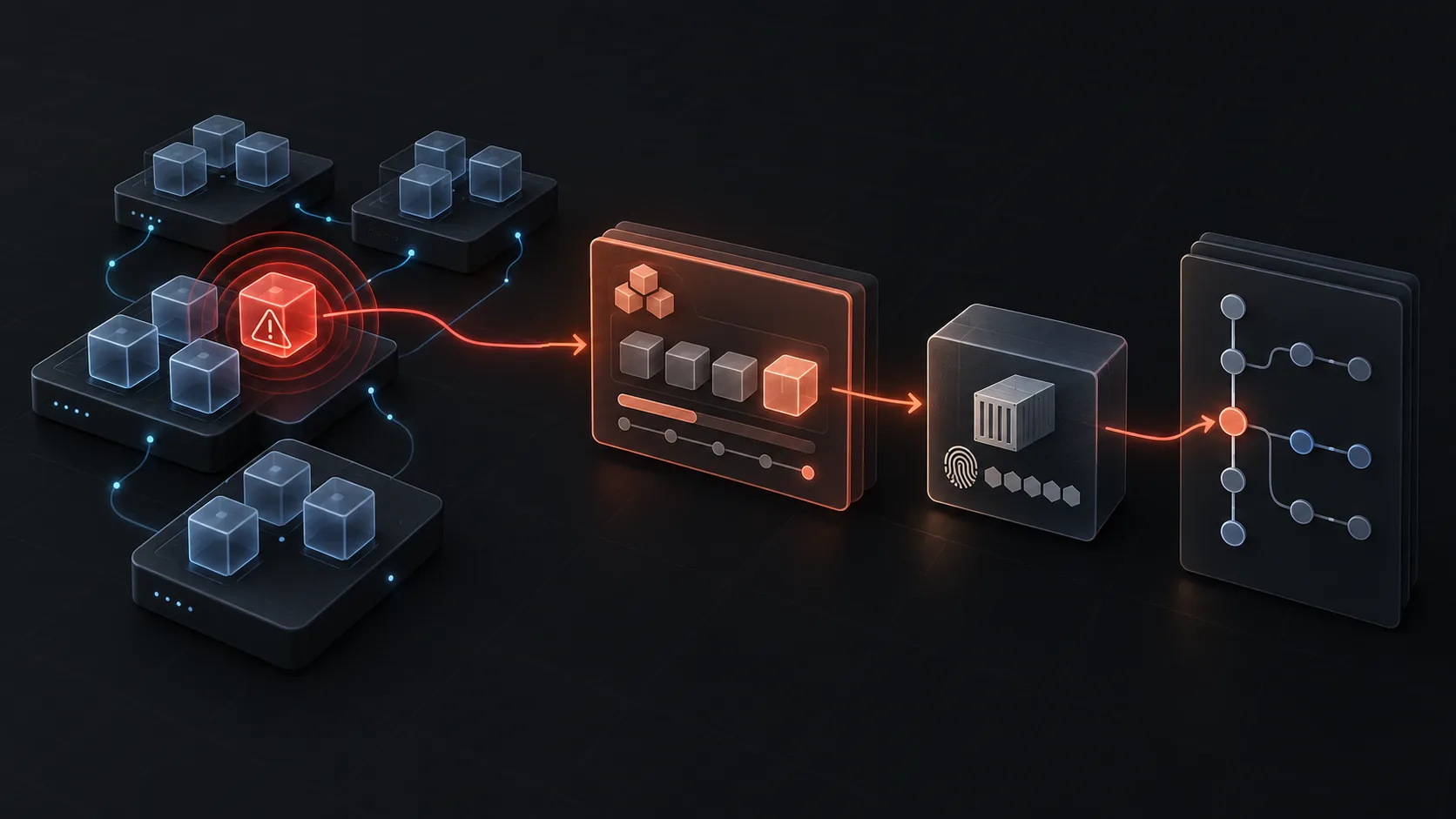
Direct answer: find the deployment that caused a Kubernetes outage by starting with the alert timestamp, then correlating the affected workload's Deployment revision, ReplicaSet, image digest, pod events, and CI/CD run within a tight change window. A recent rollout is a lead, not proof. Confirm that its timing and diff explain the failure before rolling it back.
The expensive failure mode is opening a 24-hour release list and choosing the newest commit. Kubernetes gives you a much narrower path: the Deployment points to a ReplicaSet, the ReplicaSet points to a pod template and image digest, and a well-instrumented delivery pipeline points that digest to a build and commit.
1. Bound the change window from the alert
Write down three facts before opening the cluster: the affected service, the first user-impact timestamp, and the alert's evaluation interval. If an error-rate alert fired at 14:32 UTC after two minutes above threshold, start with an outage time around 14:30, then examine the preceding 30 to 60 minutes.
NAMESPACE=production
DEPLOYMENT=checkout-api
OUTAGE_START="2026-10-05T14:30:00Z"
That window stops an old but noisy rollout from stealing the investigation. It also creates a test for every candidate change: did it reach the affected workload before impact began?
2. Inspect the Deployment revision and ReplicaSets
First, inspect Deployment history:
kubectl -n "$NAMESPACE" rollout history deployment/"$DEPLOYMENT"
kubectl -n "$NAMESPACE" get rs -l app="$DEPLOYMENT" \
  -o custom-columns=NAME:.metadata.name,CREATED:.metadata.creationTimestamp,IMAGES:.spec.template.spec.containers[*].image
rollout history shows revisions, but it does not automatically know your Git SHA. Kubernetes only retains the pod template it received. Use the ReplicaSet creation time, the image reference, and the Deployment's annotations to decide whether a revision overlaps the outage.
Then inspect the affected ReplicaSet and its pods:
kubectl -n "$NAMESPACE" describe rs checkout-api-7bd8f5d6f9
kubectl -n "$NAMESPACE" get pods -l app="$DEPLOYMENT" -o wide
kubectl -n "$NAMESPACE" get events --sort-by=.lastTimestamp | tail -40
Look for a new image digest, CrashLoopBackOff, failed readiness checks, a surge of restarts, or a rollout that stalled. The Kubernetes Deployment documentation explains how revisions and ReplicaSets relate. The events tell you whether the new template actually became live, which is more useful than a merge timestamp alone.
3. Resolve the image digest to the delivery run and commit
Tags such as latest and 2026.10.05 are convenient for humans but are weak forensic evidence. An immutable image digest is the reliable join key.
kubectl -n "$NAMESPACE" get pod -l app="$DEPLOYMENT" \
  -o jsonpath='{range .items[*]}{.metadata.name}{"\t"}{.status.containerStatuses[*].imageID}{"\n"}{end}'
Use the resulting digest in the container registry and in your CI system. A production-ready release should leave these annotations on the Deployment template:
metadata:
  annotations:
    app.kubernetes.io/version: "9c8b1a4"
    delivery.example.com/run-url: "https://ci.example/runs/78124"
    delivery.example.com/deployed-at: "2026-10-05T14:11:43Z"
Those fields turn the lookup from a guess into a join: pod image digest → build → commit → diff. If they are absent, use CI logs and registry provenance to reconstruct the mapping, then add the annotations as a follow-up. The SLSA provenance model is a useful reference for preserving that build-to-source linkage.
4. Test the candidate against the observed failure
Do not roll back because a deployment is nearby in time. Read the diff and ask whether it can produce the error you observed.
| Observed symptom | Candidate change worth testing |
|---|---|
| Pods never become ready | health-check path, port, startup time, Secret or ConfigMap reference |
| Requests return 5xx immediately | application route, environment variable, service account or upstream endpoint |
| Only one region fails | regional ConfigMap, ingress, node pool, cloud dependency |
| Error rate rises gradually | resource limit, connection pool, traffic split, downstream dependency |
Compare the rollout time with the first impact, review the commit, and validate with a small rollback or a canary where your change process allows it. A rollback that restores service is strong evidence, though it can still mask a separate dependency recovery. Capture that uncertainty in the incident timeline.
5. When the application deployment is innocent
If the last application rollout predates the outage, keep the same time window and move outward:
- ConfigMaps and Secrets changed by Helm or GitOps reconciliation
- Ingress, NetworkPolicy, DNS, and service-mesh configuration
- Node, autoscaler, or cluster upgrades
- Cloud IAM, load-balancer, or database changes in the workload's dependency path
- An upstream service or third-party dependency
Kubernetes audit logs can show API changes, while your cloud audit log provides the equivalent trail outside the cluster. This is why a service-only Git log is often insufficient: the symptom appears in one Deployment while the responsible change may live in infrastructure code or a shared platform repository.
Make the next outage cheaper
The durable improvement is to emit an immutable release record for every production change: commit SHA, image digest, CI run URL, environment, timestamp, and the resources touched. Send it to the deployment object and to the observability timeline. It lets an on-call engineer start with a bounded causal path instead of a list of recent merges.
Anyshift connects deployment history, Kubernetes state, cloud changes, and source control in one versioned production graph. It can use those joins to investigate a change across the resource neighbourhood, including the cases where the change did not originate in the affected service's repository.